
Baji Online Support — Contact Details and Help with Accounts, Payments and KYC
Baji Online support handles enquiries about registration, account recovery, deposits, withdrawals and bonus terms. You can also clarify document requirements and report technical errors. To help resolve your enquiry, prepare a description of the situation, the transaction time and its ID, if available. Response times depend on the contact channel and the complexity of the enquiry.
Why Users Need Help Outside Standard Business Hours
Sporting events and gaming sections are available at different times of day, so questions may arise in the evening or at night. Round-the-clock acceptance of inquiries allows users to report a delayed transfer, login difficulty or interface error immediately. For example, if several thousand PKR have been debited without the deposit appearing, the user can submit transaction details without waiting until the next business day. However, support availability does not mean that a review will be completed immediately.
This schedule is also convenient for audiences in different time zones. Some users check transactions in the morning, while others contact support after late matches. The actual response time depends on the selected channel, the number of inquiries and whether a specialist department needs to be involved.
What Issues Can Baji Live Support Help With?
Staff accept inquiries related to accounts, payments, bonus terms and platform operation. Some questions can be resolved through guidance, while others require review by the finance team or technical specialists.
Checking Deposits and Withdrawal Requests
When contacting support about a transfer, you can clarify permitted amounts, processing status and recipient requirements. If the payment service has debited the money but it has not appeared in the gaming account, prepare the transaction identifier and confirmation. Support will forward the details for review; manual crediting is possible only after the circumstances have been established. Staff can also explain deposit turnover requirements and restrictions affecting withdrawal availability.
Assistance with KYC Identity Verification
Customer service helps explain document requests, photograph requirements and review status. Main questions you can ask include:
-
Clarifies which materials are required for verification: an identity card, passport or acceptable proof of address.
-
Explains requirements for file extensions, image legibility and showing the entire document.
-
Helps check the status of an enquiry and find out whether additional information is required.
Interface Errors and BJBajiApp Issues
If a game freezes, odds are displayed incorrectly or app difficulties occur, support may suggest checking the connection, updating the app and other suitable actions. If clearing the cache is required, first save the necessary information about the error. Confirmed technical problems are forwarded to the responsible specialists, and the time required to fix them depends on the cause.
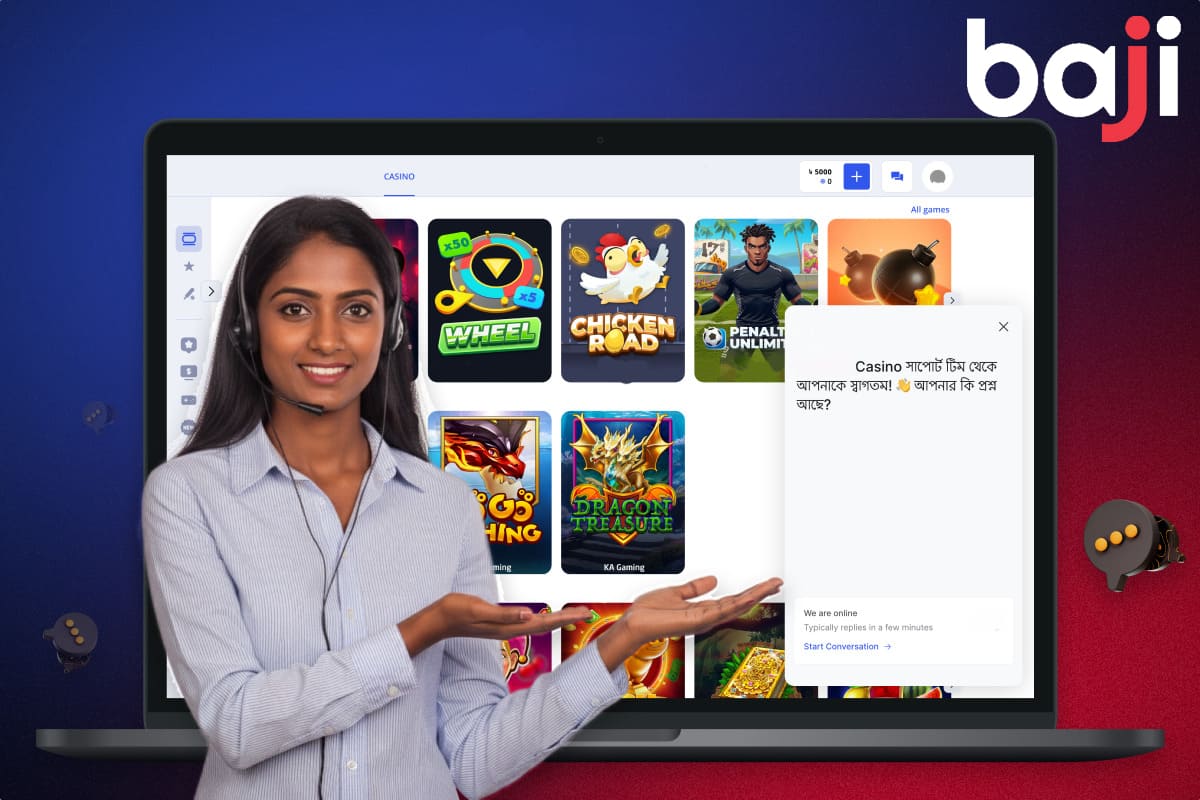
Ways to Contact DJ Customer Service Representatives
-
Website Chat
A chat widget may be available on the homepage and within your account. Before connecting you to an agent, the system asks for your username and enquiry topic: deposits, bonus terms or technical difficulties. The selected category helps route your enquiry to the appropriate specialist, although response times depend on workload.
-
Written Enquiries
Email and the contact form are suitable for situations requiring a detailed explanation and attachments. You can use them to provide information about a disputed payment, clarify identity verification requirements or report a game error. Documents should only be submitted in response to a verified request through the designated method.
-
Communities and Messaging Platforms
The description lists WhatsApp, X, TikTok, Facebook and Instagram. A brand page does not necessarily handle account enquiries. Check contact details on the operator’s website and confirm the channel’s purpose before sharing personal information.
|
Contact method |
Inquiry topics |
Features |
Suitable situation |
|
Platform chat |
Login, access recovery, reward conditions and interface errors |
Allows details to be clarified during the conversation; the time taken for a staff member to join may vary |
Advice is needed about a current difficulty |
|
Inquiry submission form |
Disputed settlements, transfer delays, document verification and descriptions of technical issues |
Suitable for structured messages and attachments where file uploads are supported |
The circumstances need to be explained in detail |
|
|
Account security questions, complaints, information corrections and lengthy reviews |
Preserves a written history and allows requested materials to be submitted through the designated procedure |
A written response or a subsequent addition to the inquiry is required |
|
Verified communities and messengers |
General information, service availability and clarification of published offers |
Allow users to use a familiar channel; the contact's connection to the operator must be verified |
The question does not require confidential documents to be shared |
Before submitting an inquiry, check the FAQ. It may contain instructions on registration, available payments, withdrawal restrictions and bonus requirements. If the answer does not address your situation, include the specific circumstances in your inquiry.
What Information Helps with Reviewing an Inquiry?
A clear description reduces the number of follow-up questions. When preparing a message, it is useful to:
- Provide your username or profile identifier through a verified support channel. Do not share your password or one-time codes.
- Explain the action you were performing, what you expected and what happened instead.
- Add a screenshot of the error or payment confirmation, hiding information that is not needed for the review.
- Provide the date, time and time zone of the event and, where available, the transaction or bet number.
Keep the inquiry number and correspondence until the review is complete. If you contact support again, these will help link new information to the existing review.
F.A.Q.
-
Such a photo may be requested as part of KYC to match the account holder with the submitted document. Before sending it, make sure the request came through a verified channel and use the designated upload method.
-
Once the connection is restored, check the game history. If the result is missing or unclear, provide support with the game title, event time, amount and round ID. Staff can request a review of the available records from the provider.
-
No, passwords and one-time codes must not be shared with staff or anyone else. A request to disclose this information is a reason to stop communicating and verify the contact through the official website.
-
Check your spam folder, then contact support through another verified channel. Provide the date you sent the email and the enquiry reference number, if one was assigned. This will help locate your request but does not guarantee an immediate resolution.
-
Start with the platform’s FAQ and help guides. These may explain account recovery, payment rules and bonus terms. If the instructions do not resolve the issue, prepare the details before contacting a specialist.
